
>> NEWS // ABLETON
Ableton announced Live 13 on November 10, 2026. A public beta is open now for owners of Live Standard and Suite, and the final version is planned for early 2027. No exact release date has been given.
This article gathers what Ableton and the music-tech press have published so far: the new features, the editions and prices, the free upgrade offer, and the points that are still unclear. It relies on Ableton’s pages and the beta release notes, and adds what a producer shows in a mixing video made with the beta.
- 32macros per rack
- 03editions
- 2027release
Live 13 release date and beta
- Announcement: November 10, 2026.
- Release: “early 2027” according to Ableton’s FAQ. Some sites mention February or spring 2027, but that is not on Ableton’s own pages.
- Public beta: limited seats, for owners of Live Standard and Suite, through Ableton’s beta program. The release notes list the current beta as version 13.0b25.
- Beta limits: about 1,700 presets from Live 12.4 are temporarily missing from the Core Library, and ARA support has a long list of limitations with third-party plug-ins.
One outlet (Digital Mixing) writes that the beta is open to everyone, but Ableton’s own page says limited seats for Standard and Suite owners, so I follow Ableton. The beta installs next to your stable version of Live and does not replace it.
A beta is meant for testing. I would not open a project you need to deliver on it, and I would keep Live 12 installed next to it.
What’s new in Live 13
Step Sequencer
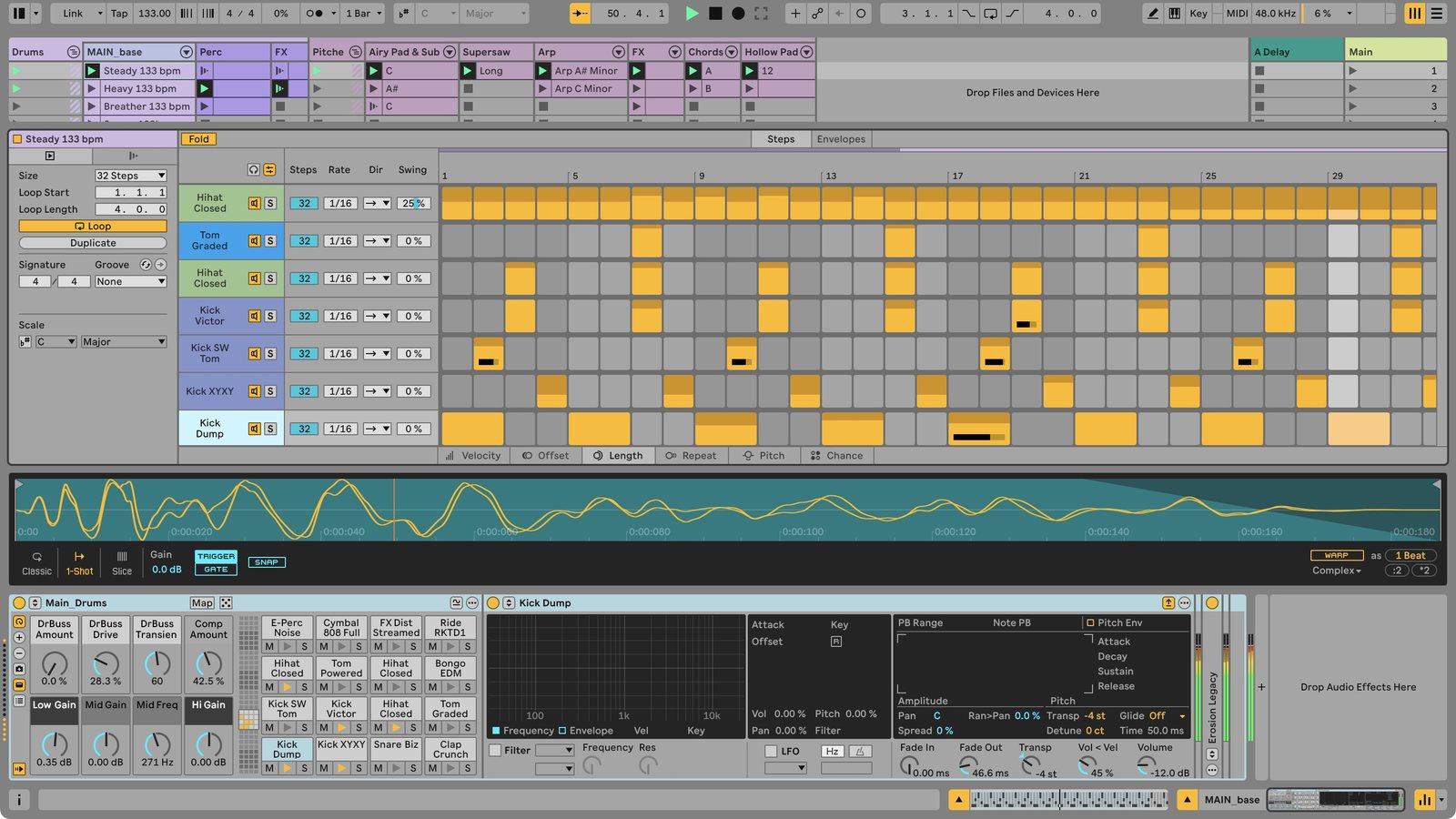
Live 13 adds a step sequencer next to the piano roll. When you create a MIDI clip, you choose “Step Sequencer” instead of “Notes”.
- Per lane: number of steps (8 to 128), playback speed (from 1/2 to 1/64T), direction (forward, backward, ping-pong) and swing.
- Per step: velocity, offset, length, repeat, pitch and chance.
- Different lane lengths give polyrhythms and patterns that shift over time.
- You place notes or drum hits directly on the grid. The Draw tool edits a parameter across several steps quickly.
- Each row has its own rate, length and direction, and everything stays in the same MIDI clip.
- A clip can be converted to MIDI notes with one right-click, and back to a step sequencer clip.
- A fold option shows only the rows in use.
Drum Synth
Drum Synth is a new instrument for building drum sounds. Ableton talks about more than 20 synthesis engines, grouped in nine categories: Kick, Snare, Rimshot, Hihat, Clap, Tom, Percussion, Cymbal and FX.
- The models cover classic drum machines, physically modeled percussion and more experimental digital tones. Ableton says the controls of each model stay musical across their whole range, so you can push them far without losing the basic character of the drum.
- You shape the sound at its source instead of searching for a sample and processing it.
- Each voice has its own options, plus Transpose, Decay, Color and Volume.
- It can be used inside a Drum Rack.
- On its own it is monophonic: one sound at a time. Attack Magazine points this out in its hands-on.
- The older Max for Live DS devices are deprecated.
Drum Synth builds sounds from synthesis. If you prefer to start from recorded sounds, my free kit TTT_Industrial Drums vol.1 has 78 one-shots, mostly acoustic drums that I processed and distorted, ready to load in a Drum Rack.
Racks: 32 Macros, mapping curves, Multiband and Mid-Side
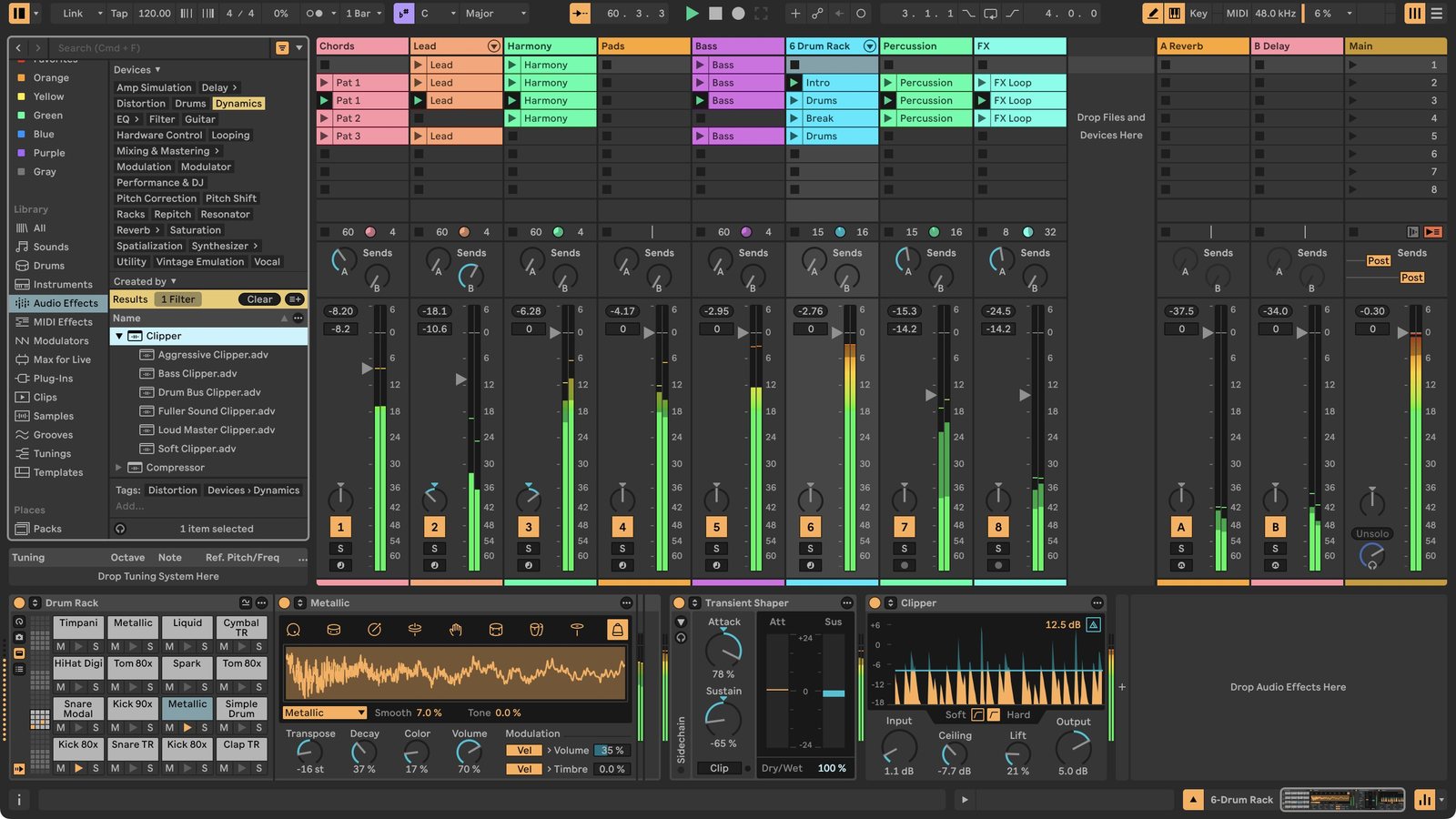
- 32 Macros per Rack, up from 16.
- Mapping curve for each Macro, with a breakpoint editor, and mapping by drag and drop.
- Macro types: a Macro can be a dial or an on/off button, and you can reorder them.
- Macro Map Mode: a Macro can act as a remote control, as before, or as a modulator. In modulation mode it offsets the parameter, so the underlying value stays available while you move the Macro.
- Round Robin in Instrument and MIDI Effect Racks: it cycles incoming notes through the chains, for variation and a more human feel. It is improved in Live 13: reset by interval, and the cycle is limited to chains that accept the note.
- Multiband Rack: splits the signal in frequency bands. Filter modes: 24 dB Min Phase, 6 dB Min Phase and 24 dB Linear Phase.
- Mid-Side Rack: processes the center and the sides of a stereo signal separately.
CDM, who tested a pre-release version, says the Racks are the feature they will use the most. Attack Magazine also thinks the Rack updates may be the most important changes in Live 13, and that the Step Sequencer is probably what many Live users were waiting for.
If you want to see how Racks are put together, TTT_Racks vol.1 is a free pack of 10 Ableton Racks that I use in my own productions. Each one does a single job with a few macros: transients, multiband splitting, clipping, stereo width, cleaning and more.
Capture Automation
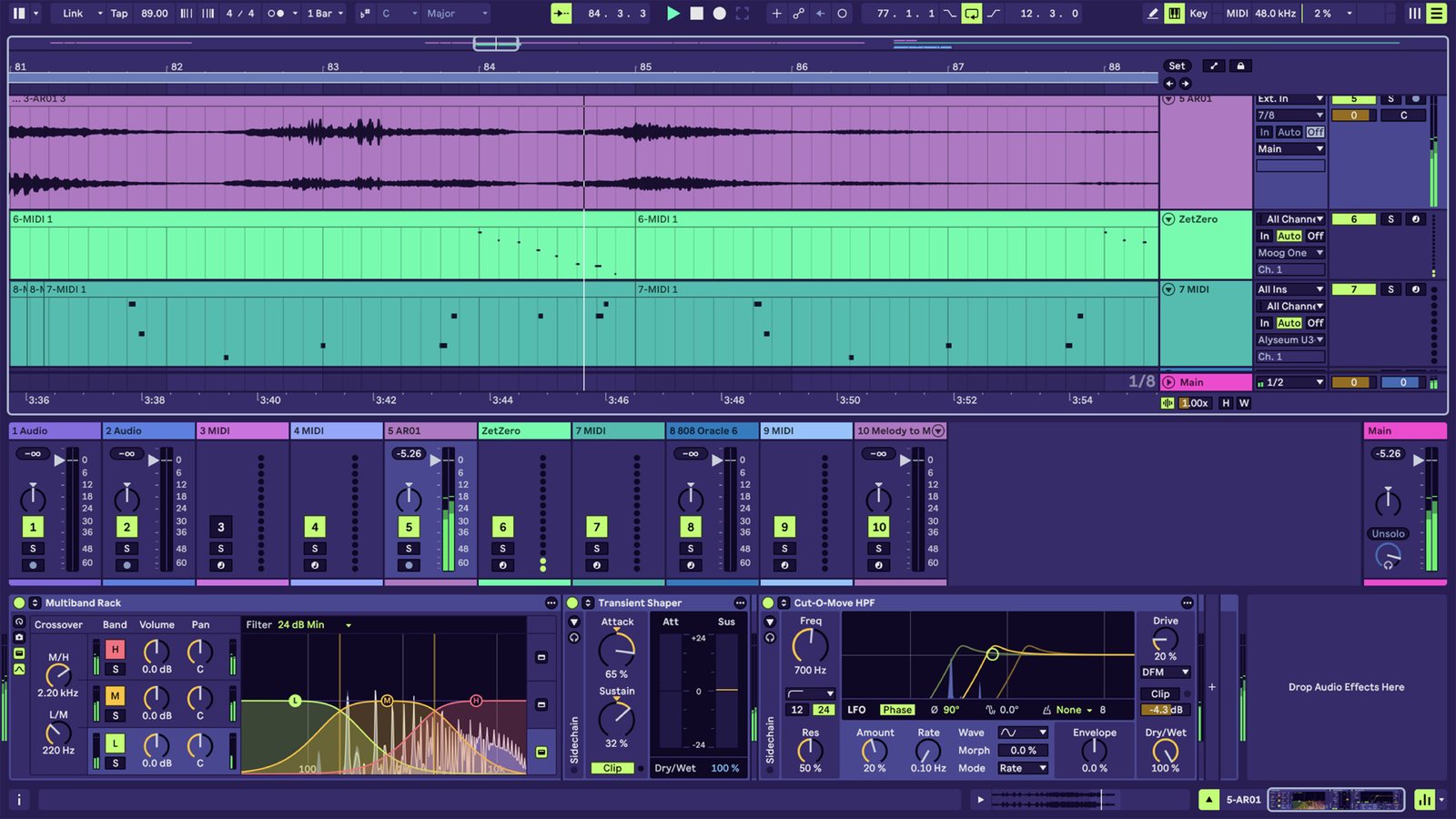
The Capture button (shortcut N) now records automation as well as MIDI notes. When you move a knob while playing, you can capture the movement afterwards and get an editable automation curve, in a Session View clip or in the arrangement. You do not need to press record in advance. Ableton’s demo uses Randomize to generate variations of a preset, then captures those changes as automation. It works on all tracks, including audio and return tracks. The button moved to the Transport Controls of the Control Bar.
Contextual Browsing
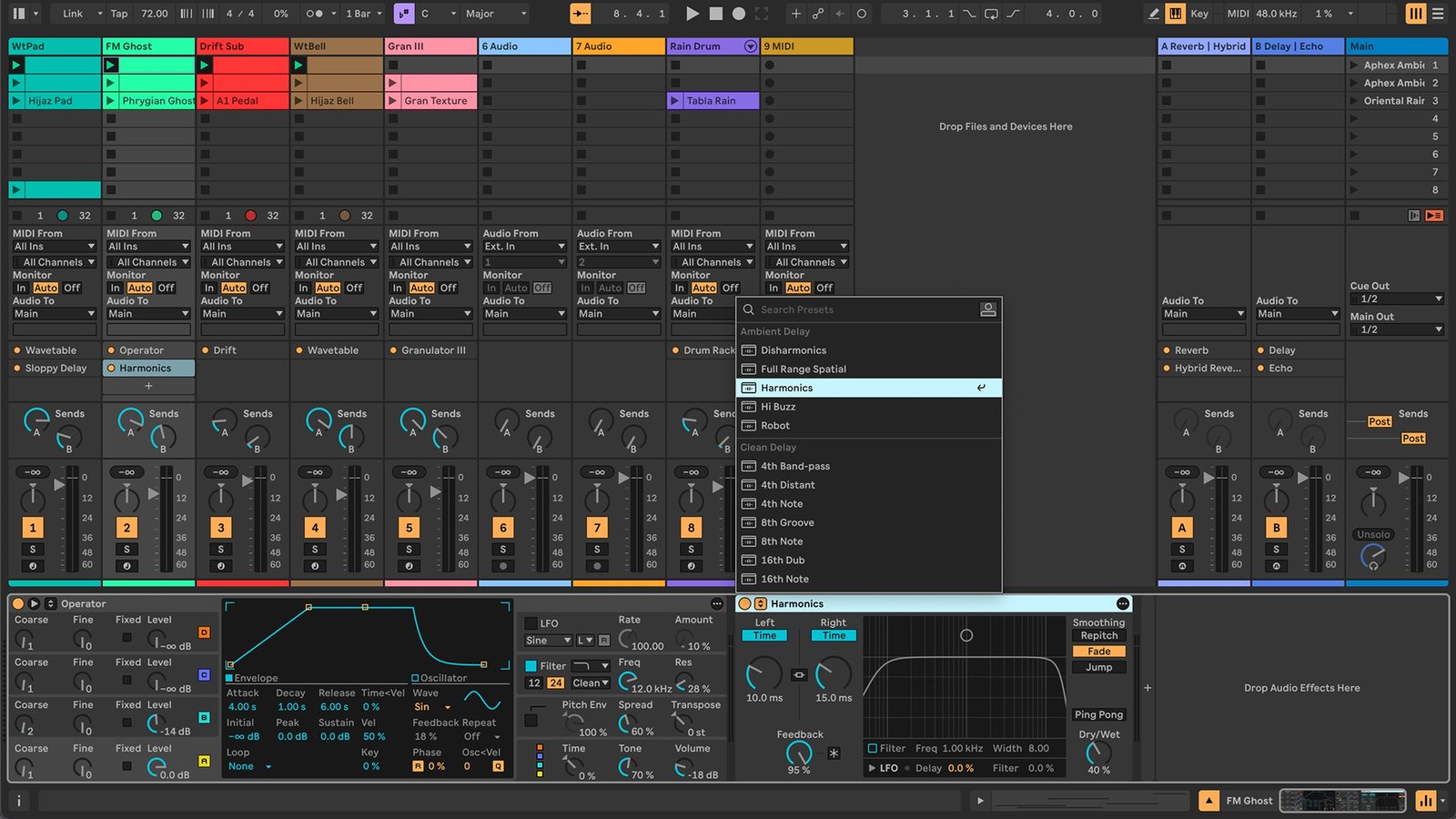
You can add a device or change a preset directly from the device chain or the mixer, without going through the browser. It includes filters by format (Ableton, Max for Live, AU, VST2, VST3). The old Hot-Swap becomes the command “Hot-Swap Device”. The results depend on where you are in the chain. You hold Option and cycle through presets with the arrow keys, or you search for a device and press Enter.
Device Slots and Envelope Clips on Return tracks
- Device Slots: a new mixer section that shows the devices of every track in the Set. You can turn devices on and off, open plug-in windows, reorder them or move them between tracks, copy, delete, group, rename, or jump to a device in Device View. It makes it easier to compare whole signal chains without opening each track.
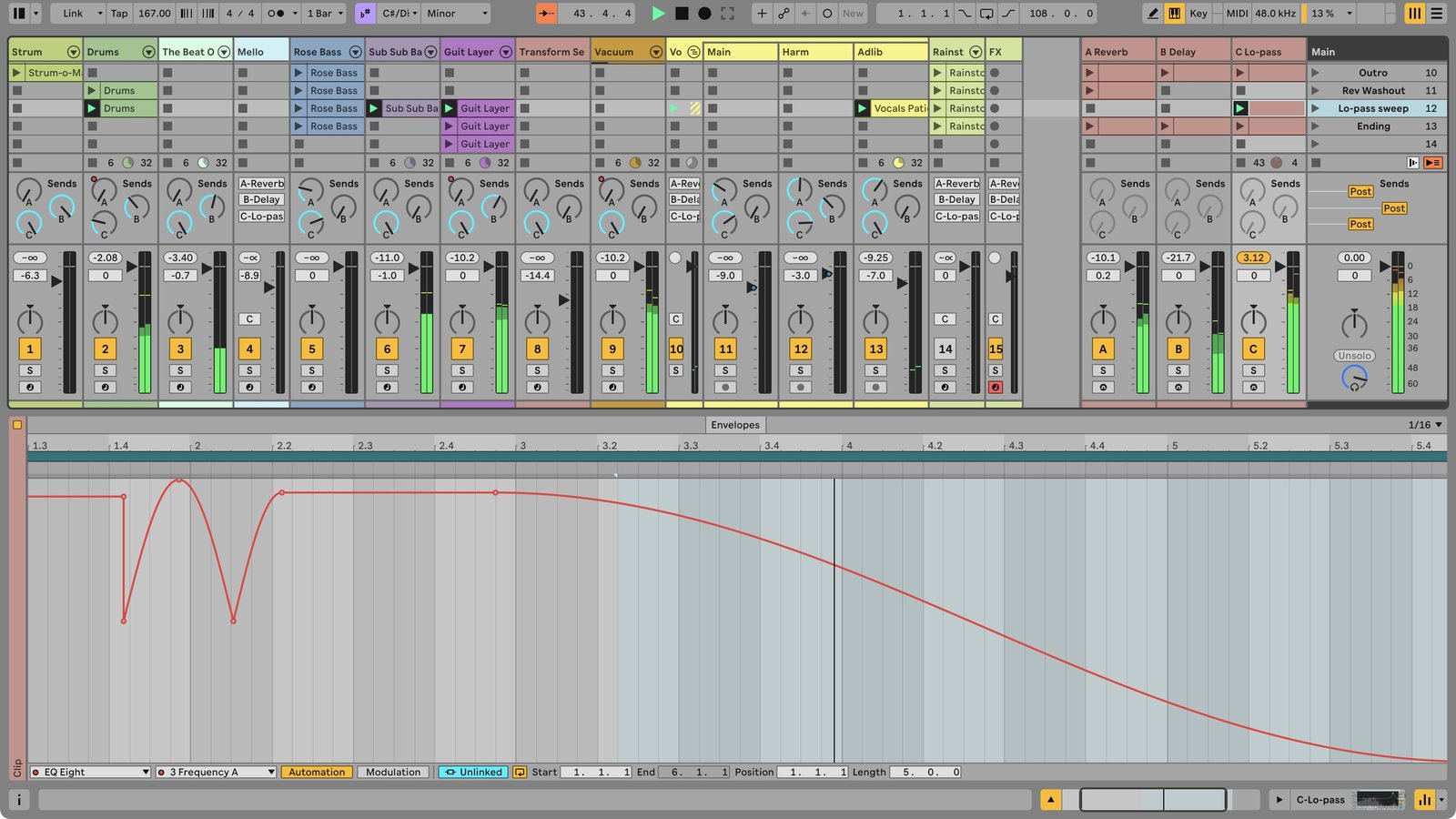
- Envelope Clips on Return tracks: modulate return effects and mixer settings in the Arrangement View, or automate them per scene in the Session View. Ableton gives these uses: switch effects on and off, change parameters from scene to scene, make looping movements in a return chain. With Follow Actions or unlinked envelopes, the effects follow their own cycles. It is also a way to control return effects in a live set.
ARA 2 and Melodyne Essential
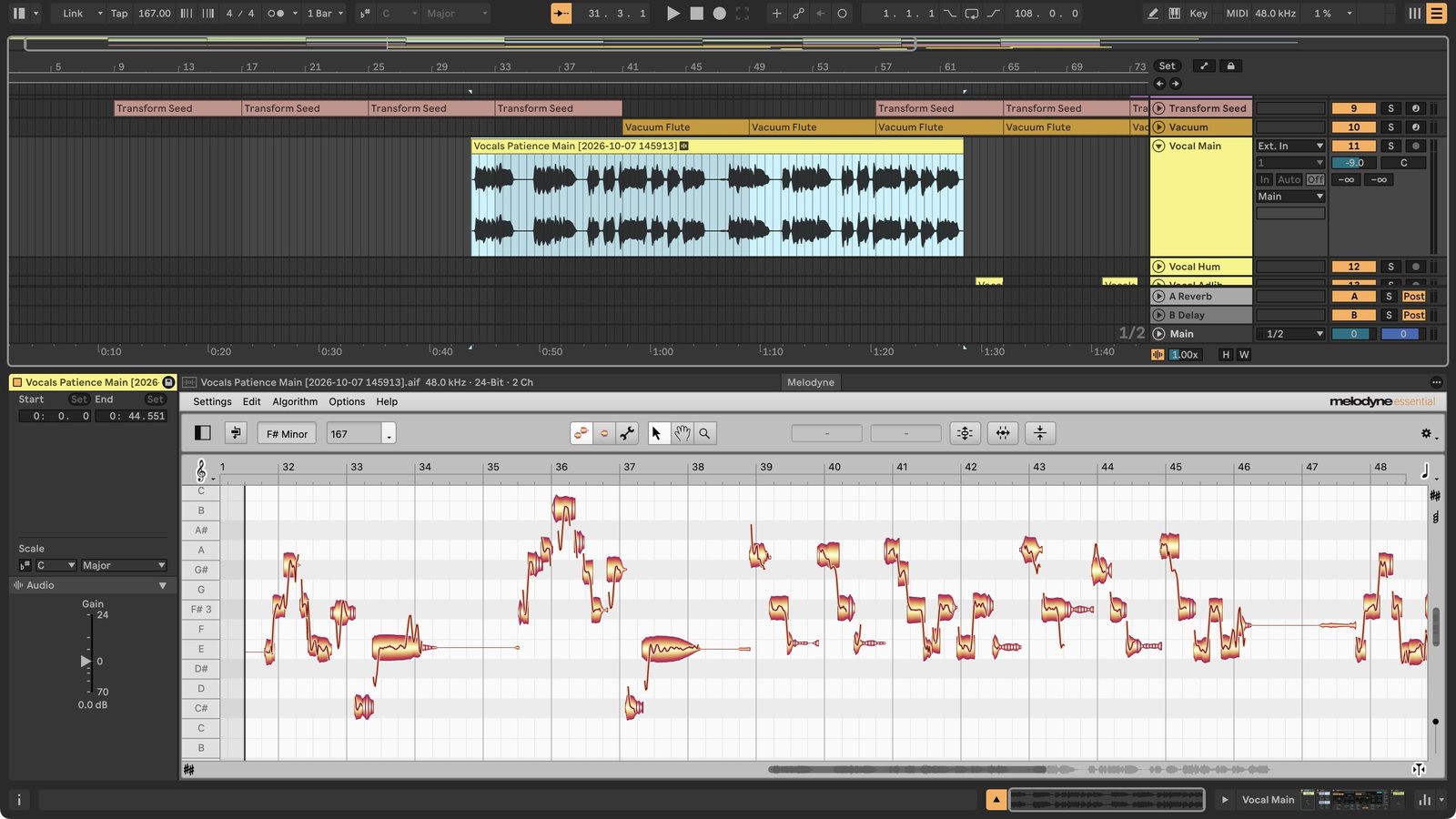
Live 13 supports ARA 2 plug-ins. They edit audio clips directly in Live, for pitch, timing or noise reduction, without exporting and re-importing. Ableton names Melodyne, SpectraLayers, RePitch2 and VocAlign as compatible plug-ins.
In Ableton’s demo, an ARA indicator appears on the clip when an ARA plug-in is loaded. The plug-in opens inside Clip Detail View, so there is no real-time audio transfer and no separate window. In the Disclosure menu, Bounce ARA Edits renders the edits on the clip as audio. Remove ARA Plug-in unloads the plug-in and removes the edits, and undo restores them if you did it by accident.
- Works in the Arrangement View. ARA clips are not supported in the Session View.
- Edits are rendered to audio with Bounce ARA Edits. Remove ARA Plug-in removes the plug-in from the clip.
- VST3 support has to be enabled in the plug-in settings.
- The release notes list limitations for several third-party ARA plug-ins in the beta.
- Live 13 Suite includes Melodyne Essential.
- Magnetic Magazine adds that only one ARA plug-in can be used at a time in a project. The producer in the video below uses several on different clips, so check the release notes for the current limits.
- Attack Magazine notes that ARA 2 comes late, since other DAWs have supported it for a long time.
New effects: Clipper, Transient Shaper, Looplet
- Clipper: hard or soft clipping curves, a Lift parameter and a Delta mode, which lets you listen to what the clipper removes. It controls peaks, can raise loudness and add distortion when pushed. Lift emphasizes the quieter parts of the signal for a thicker sound. Ableton says the harmonic distortion is part of the device’s character.
- Transient Shaper: controls Attack and Sustain separately, with a Clip option, Dry/Wet and a simplified sidechain. It is a standalone device. The Attack knob adds or softens the initial hit, the Sustain control tightens the tail or brings more of it forward. In the sidechain section you choose which track drives the processing, and a sidechain filter selects which part of the signal it reacts to. The clip toggle controls peaks added by the shaping.
- Looplet: a Max for Live device with four playheads, to layer and loop different parts of one sample. It can capture audio directly into the device. It offers reverse playback, tape-style gestures, granular processing and pitching, for evolving textures and atmospheric drones. The four playheads can be balanced inside Looplet or routed to separate channels. Ableton describes it as a Pack for Live 13 Suite.
- Classic Dynamics & EQ by Softube: five Max for Live effects modeled by Softube on classic studio hardware (FET Compressor, Opto Compressor, and the British Class A Compressor, EQ and Drive, named BCA in the beta). The FET gives fast, punchy dynamics and the Opto smoother leveling. The pack is included with Suite. Standard users who own Max for Live can buy it separately. All five devices run on Push 3 standalone.
Smaller changes
- Link Arrangement Sync: four transport modes (Tempo Only, Start Stop, Arrangement, Follow Only).
- Export: a MIDI tempo map is generated with the audio export, and exported MIDI files go from 96 to 480 ticks per quarter note.
- Mixer: Send sliders, a Configure Mixer menu, an Unsolo/Uncue button on the Main track.
- Devices: redesigned Phaser-Flanger, sample crop in Drum Sampler, Echo input gain down to -inf dB.
- Browser: new “Created By” filter. Duplicate Without Content added.
- Core Library: new Drum Racks built with new samples and Drum Synth, instrument Racks, new Racks for vocals, effect Racks for guitars and creative sound design, audio loops and MIDI clips. Ableton also points to new one- and two-knob tools, to add clarity, tighten a Drum Buss or help a master pop.
- Max for Live updated to Max 9.2.0.
- Stem separation: the models are now downloaded from Ableton’s servers after installation, which makes the installer lighter.
Push 3 and Push 2
- Push 3: Custom Layouts, a Step Sequencer layout, Performance Mixer, Expressive Step Editing, and Device Mode improvements (jog wheel navigation, up to 32 Macros).
- Push 2: the Step Sequencer and most Device Mode improvements. Custom Layouts, Performance Mixer and Expressive Step Editing are not available.
Live 13 in a real mix: a producer’s walkthrough
A French producer (SRP Studio) published a mixing video made with the Live 13 beta. The video is sponsored by Ableton, so it shows the tools in the best light, but it is useful because it shows what the new devices do in practice. Here is what he does with them.
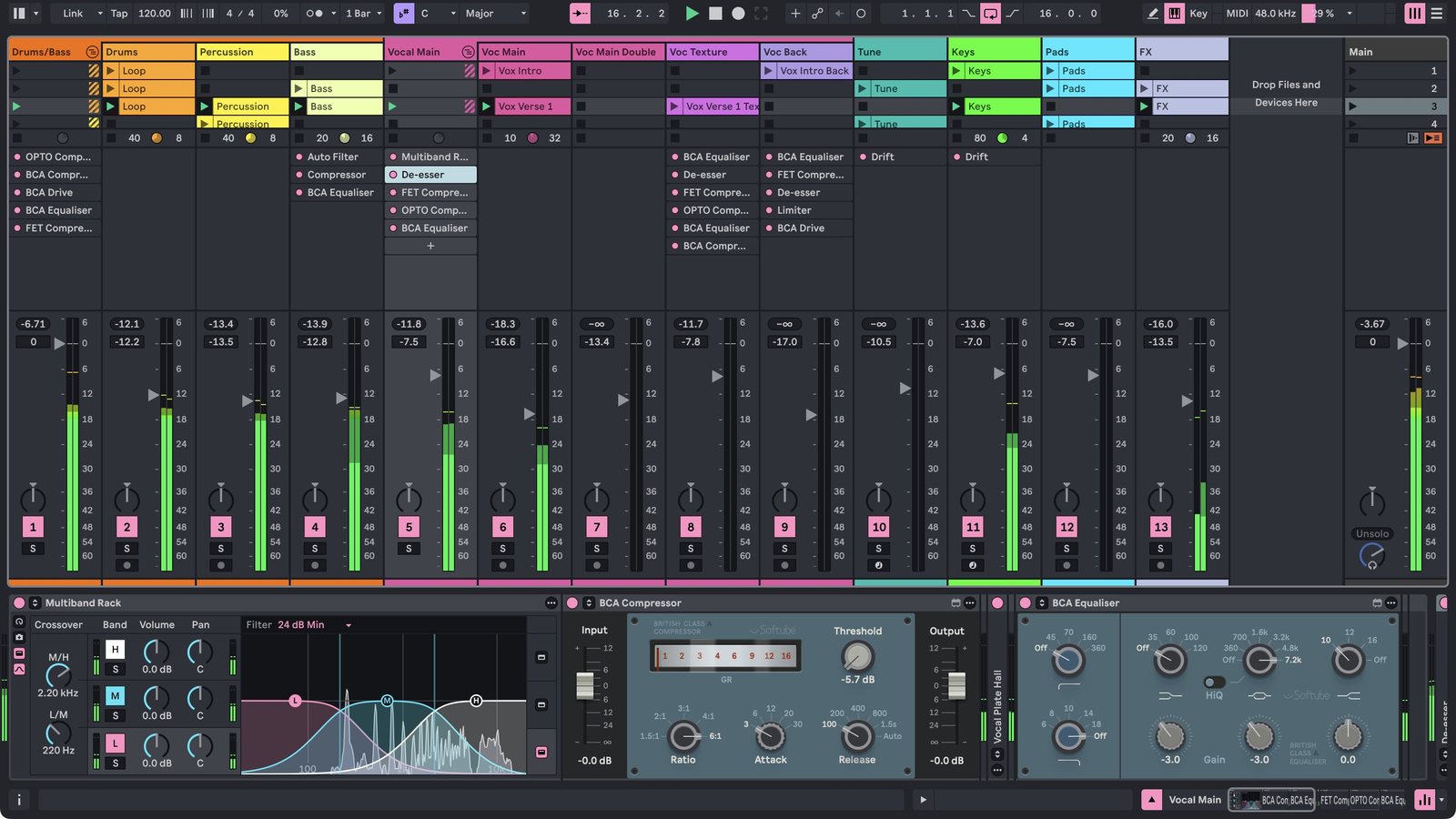
- Vocals with Live’s own devices. He says about 98 % of his lead vocal chain uses Live’s devices, and the only third-party item is a small micro-shift for stereo width. The chain goes: Opto Compressor for light leveling, BCA Drive for a little harmonic saturation, BCA Equaliser for broad shaping, then a Multiband Rack.
- Multiband Rack as a de-esser. Live has no built-in de-esser. He puts a fast FET Compressor on the high band and another on the high-mid band, and leaves the lows untouched. He sets the filters to linear phase so the crossovers do not color the voice or raise the peaks. His result: no separate de-esser needed on this voice.
- Mid-Side Rack for depth. On a layer of arpeggios, he puts a reverb on the Mid channel only, at about 50 % dry/wet, to push the center further back.
- Drums. A parallel saturation (BCA Drive) filtered on the kick and bass. A Transient Shaper in parallel on the high band, with less attack and more sustain. A Clipper with soft clipping on the kick, bass and snare group, and another one with hard clipping on the whole drum group. He takes the hi-hats out of the clipped group so they stay clean.
- Master chain with a Multiband Rack. Slow-attack compression on the lows so the kick passes before the gain reduction. Strong, fast-ish compression on the mids to make them denser. Nothing on the highs. He built the rack early in the mix and mixed into it, not at the end.
- ARA 2. He uses Melodyne on a sung part, per clip, directly in the Live window.
- Device Slots. He uses the mixer view to see the full plug-in list of a track, move devices around and open them from there.
This is one producer’s setup, and it is the opinion of someone sponsored by Ableton. It does show that the new Racks and the Softube effects are meant to be used together.
No new AI feature
Ableton lists no new AI feature in Live 13. The only one in Live is the stem separation added in Live 12.3, which runs on your computer and is part of Suite. If you were expecting AI tools in this version, there are none.
Editions and prices
Prices on Ableton’s European shop page (final prices depend on your country):
| Edition | Price |
|---|---|
| Live 13 Intro | 99 € |
| Live 13 Standard | 279 € |
| Live 13 Suite | 599 € |
Suite is also offered as rent-to-own at 24.96 € per month. In US dollars, Synthtopia reports $99, $349 and $749. Upgrade prices are shown in your Ableton account.
What each edition gets, according to Ableton’s editions comparison page:
| Intro | Standard | Suite | |
|---|---|---|---|
| Step Sequencer | Yes | Yes | Yes |
| Drum Synth | Yes | Yes | Yes |
| Multiband and Mid-Side Racks | Yes | Yes | Yes |
| Capture Automation | Yes | Yes | Yes |
| ARA 2 support | Yes | Yes | Yes |
| Clipper | No | No | Yes |
| Transient Shaper | No | No | Yes |
| Looplet | No | No | Yes |
| Softube Classic Dynamics & EQ Pack | No | No | Yes (Standard users with Max for Live can buy it) |
| Melodyne Essential | No | No | Yes |
| Max for Live | No | No | Yes |
| Audio and MIDI tracks | 16 | Unlimited | Unlimited |
| Send and Return tracks | 2 | 12 | 12 |
| Scenes | 16 | Unlimited | Unlimited |
So the main workflow features (Step Sequencer, Drum Synth, Racks, Capture Automation, ARA 2 support) are in every edition. The new effects and the extras are Suite only. Note that ARA 2 support is in every edition, but Melodyne Essential is only included with Suite.
Free upgrade from Live 12
Until Live 13 is released:
- Live 12 licenses and upgrades are 20 % off. On the European shop that means Intro 63 € (instead of 79 €), Standard 223 € (instead of 279 €) and Suite 479 € (instead of 599 €).
- Any Live 12 purchase includes a free upgrade to the same edition of Live 13.
- If you already own Live 12, you can pre-order Live 13 at 20 % off.
- The Push, Move and Upgrade Kit discount runs from November 10 to 30, 2026 only.
- The discount does not combine with education or multi-license discounts.
So if you are on an older version and plan to upgrade anyway, buying Live 12 now gets you Live 13 at release for the Live 12 price minus 20 %. For Suite that is 479 € instead of 599 € for the full Live 13 Suite price. The upgrade price for an existing license is only shown when you log in to your Ableton account.
System requirements
| macOS | Windows | |
|---|---|---|
| System | macOS 14 Sonoma or newer | Windows 11 version 24H2 or newer |
| Processor | Intel Core i5 or Apple silicon | Intel Core i5 (5th generation) or AMD Ryzen |
| RAM | 8 GB | 8 GB |
| Display | 1280 x 800 | 1366 x 768 |
| Disk (base install) | about 8 GB | about 5.7 GB (8 GB recommended) |
An internet connection is needed for authorization. The optional extra sounds take more than 75 GB.
Should you upgrade from Live 12?
Ableton says everything you can do in Live 12 still works in Live 13. Here is how I would sort it.
- You write drums and patterns with MIDI: the Step Sequencer and Drum Synth change how you can start an idea.
- You build Racks and long effect chains: 32 Macros, mapping curves, Multiband and Mid-Side Racks, Device Slots and Contextual Browsing are the most useful changes.
- You edit audio a lot: ARA 2 is the main reason, mostly if you come from another DAW. Check that your plug-in works with it first, and remember it is Arrangement View only for now.
- You use Push 3: Custom Layouts and the Performance Mixer are for you.
- You are on Live 12 Standard: you get the Step Sequencer, Drum Synth, Racks and ARA 2 support for free. Clipper, Transient Shaper, Looplet, the Softube pack and Melodyne Essential are Suite only, so check what you really need.
The release is not before early 2027, so there is no hurry. If you own Standard or Suite, you can try the beta. Otherwise, wait for the final version and the full editions comparison.
Sources
Ableton (Live 13 page, shop page, beta release notes, official Live 13 overview video), CDM, Attack Magazine, Synthtopia, RA, DJ Mag, The Fader, We Rave You, RouteNote, AI Musicpreneur, and a mixing video by SRP Studio made with the Live 13 beta (sponsored by Ableton).
Updated November 16, 2026. — TTT
Leave a Reply